
 By
By 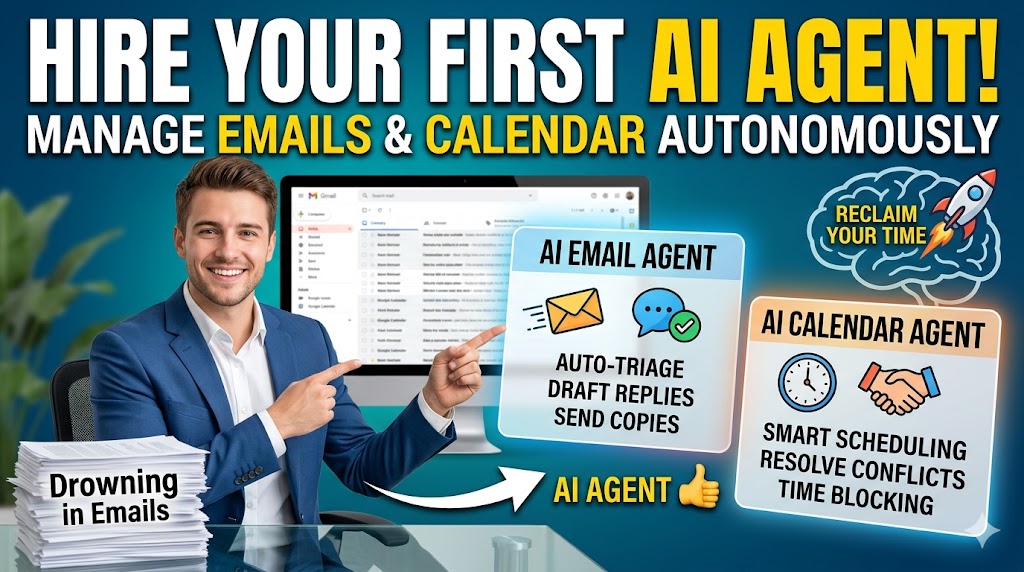
If you are an entrepreneur, a digital marketer, or simply a professional trying to scale your output, you already know the enemy: the inbox. Every minute spent toggling between your email client and your calendar is a minute stolen from meaningful, needle-moving tasks.
In the past, the only solution to this administrative bottleneck was hiring a human executive assistant. Today, the landscape has shifted entirely. You can now hire an AI agent to manage your emails and calendar at a fraction of the cost, operating 24/7 with near-instant response times.
But “hiring” an AI isn’t just about clicking subscribe on a new software tool. It requires a strategic approach to delegation, workflow integration, and training. This comprehensive guide will walk you through exactly how to hire your first AI agent to manage your communications, structure your days, and help you reclaim your time for high-value focus.
What is an AI Agent for Emails and Calendars?
Before diving into the hiring process, it is crucial to understand what an AI agent actually is, as it differs significantly from the basic automation tools of the past.
The Difference Between Basic Automation and AI Agents
Traditional automation relies on rigid, rule-based systems (like “If I receive an email from X, move it to folder Y”). These tools are helpful but fragile. If a scenario falls outside the pre-set rules, the automation breaks.
An AI agent, on the other hand, is powered by Large Language Models (LLMs) and autonomous reasoning capabilities. It doesn’t just follow “if/then” rules; it understands context, intent, and nuance. It can read a messy, multi-paragraph email from a client, extract the core request, check your calendar for availability, draft a polite response proposing three meeting times, and automatically send the calendar invite once the client replies—all without you lifting a finger.
How Natural Language Processing (NLP) Changes the Game
The backbone of a modern AI calendar and email assistant is Natural Language Processing (NLP). This technology allows the agent to communicate just like a human assistant would. It understands the difference between a high-priority message from a VIP client and a cold pitch from a salesperson. It can adapt its tone to be professional, casual, or urgent based on your instructions. When you “hire” an AI agent, you are essentially licensing a highly intelligent entity that speaks your language and understands your business priorities.
Why You Need to Hire an AI Agent Now
The decision to integrate an AI agent into your daily workflow goes far beyond simple convenience. It is a strategic move to optimize your most valuable resource: your cognitive bandwidth.
Reclaiming Hours for Deep Work
Every time you stop writing a proposal, building a marketing campaign, or analyzing data to check your inbox, you suffer from context switching. Studies show it can take up to 23 minutes to regain your focus after an interruption. By delegating inbox triage and scheduling to an AI, you can enter a state of deep work or “monk mode” for hours at a time, knowing that your digital assistant is handling the frontline.
Eliminating Decision Fatigue
“When are you free next week?” This simple question triggers a cascade of micro-decisions. You have to open your calendar, weigh your priorities, account for time zones, and draft a reply. Doing this ten times a day leads to massive decision fatigue. An AI agent handles these micro-decisions autonomously based on the boundaries and preferences you set, leaving your brainpower intact for high-level strategy.
Professionalizing Your Communication
We have all sent emails riddled with typos because we were rushing to clear our inbox. An AI agent never gets tired, never makes spelling errors, and always maintains the exact level of professionalism you dictate. It ensures that every stakeholder, client, or team member receives a timely, articulate, and helpful response, elevating your personal brand.
Top Use Cases for Your First AI Assistant
To get the most out of your AI agent, you need to understand exactly what tasks to offload. Here are the most effective use cases for email and calendar management.
Inbox Triage and Prioritization
Your AI agent can act as the ultimate gatekeeper. It can scan hundreds of incoming emails and categorize them based on urgency.
- Urgent/Action Required: Flagged immediately for your attention.
- Routine: Handled autonomously by the AI (e.g., answering FAQs, sending standard intake forms).
- Newsletters/Spam: Summarized for later reading or archived completely. This ensures that when you do open your inbox, you are only looking at the messages that absolutely require your human touch.
Drafting and Sending Replies
An AI agent can read an incoming email, search your personal knowledge base or past emails for context, and draft a complete, highly accurate response. You can configure the agent to save these drafts for your approval, or, once you trust it enough, allow it to send the replies autonomously.
Frictionless Meeting Scheduling
Scheduling is the most notorious time-waster in the corporate world. When a client asks to meet, your AI agent can intercept the email, cross-reference your integrated calendar, identify optimal times that align with your preferred working hours, and email the client back to negotiate the time.
Rescheduling and Conflict Resolution
Meetings get canceled; schedules shift. When this happens, an AI calendar assistant can automatically reach out to the affected parties, apologize for the conflict on your behalf, and instantly offer alternative times, seamlessly reorganizing your calendar without your intervention.
Top AI Agents to Consider in 2026
The market for AI personal assistants is exploding. When deciding who to “hire,” you need to look at the software landscape. Here are some of the top contenders currently dominating the space:
1. Lindy.ai (The Autonomous Powerhouse)
Lindy is arguably the closest thing to a fully autonomous human assistant. It integrates deeply with your Gmail, Outlook, Google Calendar, and even communication tools like Slack. Lindy can manage your inbox, draft replies, and handle complex, multi-step scheduling negotiations. Its strength lies in its ability to be customized with specific “personas” and rules.
2. Motion (The Time-Blocking Master)
If your primary struggle is organizing your calendar, Motion is a stellar choice. While it has email capabilities, it excels at algorithmic scheduling. You feed Motion your tasks, deadlines, and meetings, and its AI builds an optimized, minute-by-minute schedule for your day. If an urgent meeting pops up, Motion automatically reshuffles your remaining tasks so you never miss a deadline.
3. Superhuman with AI (The Speed Demon)
Superhuman has long been the email client of choice for high-performers, but its recent integration of advanced AI has turned it into a powerhouse. While not a fully autonomous agent that works in the background, it acts as an incredible co-pilot. It auto-summarizes long threads, drafts replies based on a few keywords, and allows you to fly through your inbox at unprecedented speeds.
4. Reclaim.ai (The Work-Life Balance Defender)
Reclaim is a smart calendar assistant designed for Google Calendar. It uses AI to automatically block out time for your habits (like reading, exercising, or deep work sessions) and flexible tasks. It dynamically shifts these blocks around as your calendar fills up with meetings, ensuring your priorities always get time on the board.
Step-by-Step Guide: How to Hire and Onboard Your AI Agent
Treat setting up this software exactly as you would onboarding a human employee. If you hand over the keys without instructions, the results will be chaotic. Follow these steps to ensure a smooth transition.
Step 1: Audit Your Current Workflow
Before you select a tool, you need to know what you are delegating. Spend three days tracking your email and calendar habits.
- What questions are you answering repeatedly?
- How much time do you spend negotiating meeting times?
- What percentage of your emails are actually important?
- What are your ideal working hours? Do you prefer meetings only in the afternoons?
Documenting these patterns will give you the “job description” for your new AI agent.
Step 2: Define the Agent’s Scope of Work
Don’t give the AI access to everything all at once. Define a narrow scope of work to begin with.
- Phase 1: Calendar scheduling and inbox categorization.
- Phase 2: Drafting replies for your review.
- Phase 3: Fully autonomous email replies for specific types of inquiries.
Step 3: Choose the Right AI Tool
Based on your audit, select the tool that fits your needs. If you are a digital agency owner juggling dozens of client projects, an autonomous agent like Lindy might be best. If you are a solopreneur trying to balance content creation with sales calls, Motion or Reclaim could be the ideal fit.
Step 4: Integration and Permissions
Once you have selected your software, you need to grant it the necessary permissions to read your emails and manage your calendar. Security check: Ensure you are using reputable software that is SOC 2 compliant and utilizes end-to-end encryption.
Connect the AI to your primary email provider (Gmail/Google Workspace or Outlook) and your calendar. If the agent offers integrations with your CRM, Zoom, or project management software, connect those as well so the AI has maximum context.
Step 5: Training Your AI (Context, Tone, and Rules)
This is the most critical step. An AI agent is a blank slate; it needs to be trained to act like you.
- Set the Tone: Provide the AI with examples of your past emails. Tell it your preferred communication style. Prompt example: “Always be polite, concise, and professional. Avoid corporate jargon. Never use exclamation points unless expressing gratitude.”
- Establish Scheduling Rules: Give the AI strict boundaries. Prompt example: “Never schedule meetings before 11:00 AM. Leave a 15-minute buffer between all calls. Never schedule more than 4 hours of meetings in a single day.”
- Provide Business Context: Upload a document containing your bio, your company’s mission, standard pricing, and FAQs. The more context the AI has, the more accurately it can answer incoming queries without needing your input.
Best Practices for Managing Your AI Agent
Just like a human employee, your AI agent requires ongoing management and feedback to perform at its best.
Start Small and Scale Up
Do not turn on auto-send on day one. Have the AI draft emails and leave them in a specific folder for you to review. This allows you to catch any hallucinations or tonal errors. As the AI learns your preferences and the drafts become perfect, you can slowly transition to autonomous sending for low-risk emails.
Regularly Review Its Output
Set aside 15 minutes at the end of every week to do a performance review of your AI. Look at the meetings it scheduled and the emails it drafted. If it made a mistake (e.g., scheduling a meeting over your lunch break), go into its settings and adjust its core instructions. The AI will learn and adapt.
Maintain the Human Touch in Critical Emails
AI is incredible, but it lacks genuine human empathy. For highly sensitive matters—apologizing to a frustrated client, dealing with a personal crisis, or closing a massive deal—take over the keyboard. Use the AI to gather the facts and summarize the thread, but write the final message yourself. Authenticity cannot be entirely outsourced.
Overcoming Common Security and Privacy Concerns
Handing over the keys to your inbox is a massive leap of faith. It is natural to have concerns about data privacy and security when hiring an AI agent.
Data Encryption and Compliance
Before giving any AI access to your Google or Microsoft accounts, verify their data policies. Top-tier tools will explicitly state that they do not use your personal email data to train their foundational public models. Look for tools that offer enterprise-grade encryption and are GDPR and SOC 2 compliant.
Setting Boundaries for Sensitive Information
If you deal with highly confidential information (e.g., legal documents, financial records, or sensitive health data), you must set strict boundaries. Most advanced AI agents allow you to create blocklists. You can instruct the AI to completely ignore emails from specific domains (like your bank or your doctor) or emails containing specific keywords (“confidential,” “invoice,” “password”).
The Future of AI Agents in Personal Productivity
We are currently in the early stages of the AI agent revolution. Today, your agent manages your calendar and inbox. Tomorrow, these agents will communicate with each other.
Imagine a scenario where your AI agent reaches out to a client’s AI agent. In milliseconds, the two agents negotiate a meeting time, cross-reference both of your calendars, draft an agenda based on past project files, and automatically generate a Zoom link, pinging both of you only when it is time to join the call.
Furthermore, we will see proactive AI agents. Instead of just reacting to incoming emails, your agent might notice that you haven’t spoken to a key client in three months and automatically draft a check-in email for you to approve. By mastering the use of AI agents now, you are future-proofing your workflow for the next decade of digital productivity.
Conclusion
Hiring your first AI agent to manage your emails and calendar is a transformative step toward reclaiming your time and mental energy. It moves you from a state of constant reaction to a state of proactive control. By carefully auditing your workflow, choosing the right tool, and dedicating time to properly train your new digital assistant, you can permanently eliminate the busywork that bogs down your days.
The era of the overwhelmed inbox is over. The technology to automate your administrative life is available right now. The only question left is: how will you spend all the hours you are about to get back?
Related articles :
- Top Ways to Make Money from AI in 2026
- Artificial Intelligence VS Human Intelligence
- The differential effects of AI on human decisions
- 24 AI marketing tools to expend your business
- The 9 Most Profitable Artificial Intelligence Professions in 2026