 By
Building a Shopify store is easier than ever. But building an online store that looks professional, earns customers’ trust, and converts visitors into buyers is a different challenge.
Many entrepreneurs spend hours customizing their websites, installing third-party applications, and fixing design issues before making their first sale.
That’s where Shrine Shopify Theme comes in.
Shrine is designed to help Shopify merchants create attractive, customizable, conversion-focused online stores without needing extensive coding knowledge.
Whether you’re starting a dropshipping business, launching a fashion brand, or improving an existing eCommerce store, Shrine offers tools to help you build a more effective shopping experience.
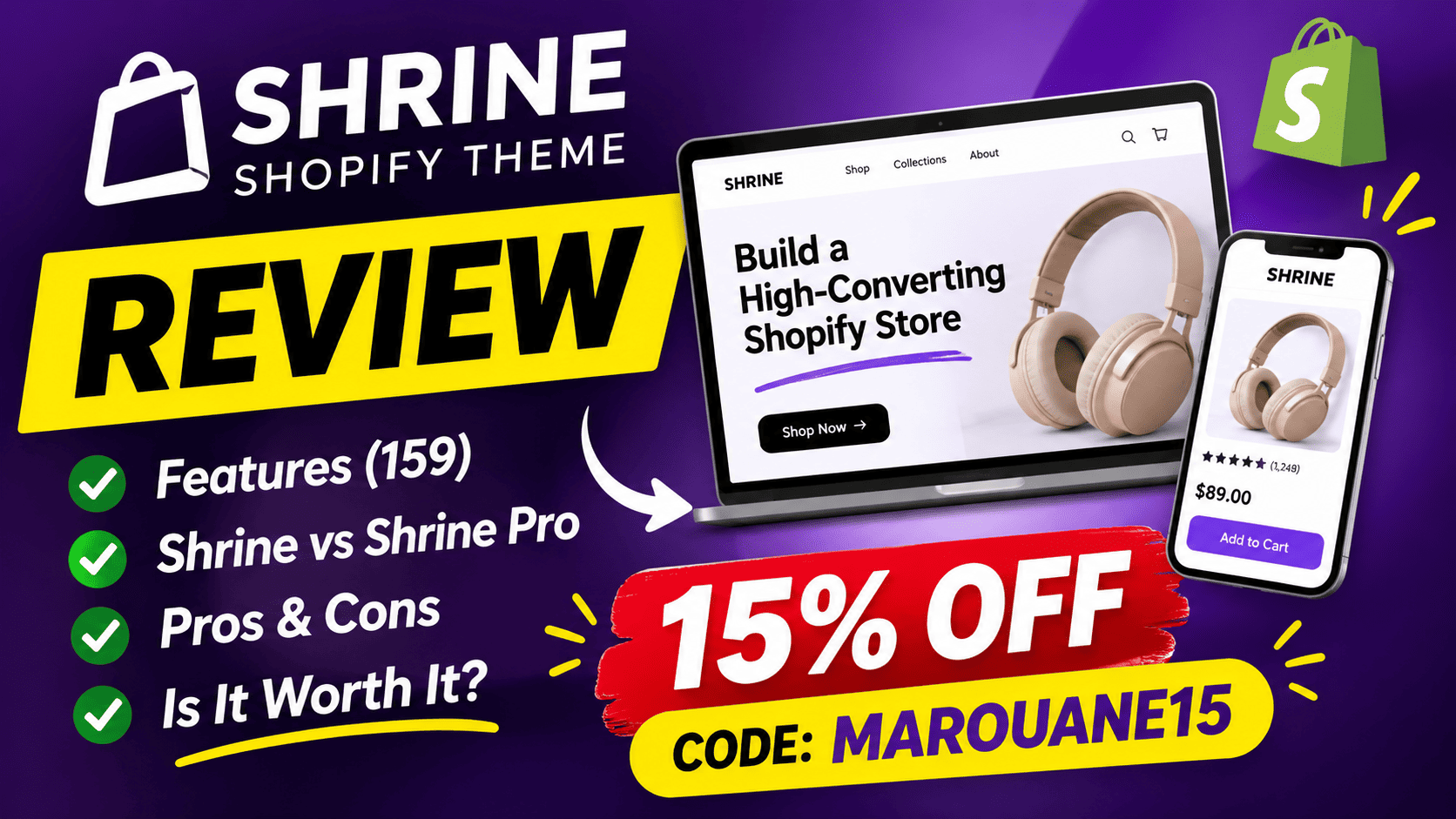
In this review, we’ll explore Shrine’s features, compare Shrine with Shrine Pro, discuss its advantages and limitations, and help you decide whether it’s the right Shopify theme for your business.
Exclusive reader offer: Get 15% off Shrine using discount code MAROUANE15.
👉 Explore Shrine and claim your discount
Affiliate disclosure: This article contains affiliate links. Scrowp may earn a commission if you purchase through these links, at no additional cost to you.
What Is Shrine Shopify Theme?
Shrine is a premium Shopify theme developed by Shrine Solutions.
Unlike basic Shopify themes that primarily focus on store design, Shrine combines customizable layouts with built-in eCommerce features.
Its goal is to help merchants create an online shopping experience that encourages customers to explore products, add items to their carts, and complete purchases.
Shrine offers two main versions:
- Shrine: A theme with 83 listed features, suitable for merchants who want essential conversion tools and customizable layouts.
- Shrine Pro: An advanced version with 159 listed features, including additional upselling tools, product page enhancements, and cart customization options.
Both versions are designed for Shopify merchants who want more control over their storefronts.
1. Conversion-Focused Product Pages
One of Shrine’s biggest selling points is its collection of product page features.
Product pages are critical because they influence whether visitors become paying customers.
Shrine includes several useful features.
Sticky Add to Cart
A sticky Add to Cart button remains accessible while shoppers scroll through product information.
This makes purchasing more convenient, especially for mobile visitors.
Quantity Breaks
Quantity breaks allow merchants to offer discounts when customers purchase multiple units.
For example, a merchant could create offers such as:
- Buy one product at the regular price.
- Buy two products and receive a discount.
- Buy three products and unlock a larger discount.
This strategy can encourage customers to purchase more products per order.
Product Reviews and Ratings
Customer reviews provide social proof.
Shrine supports product ratings and review-related elements that help merchants present customer feedback.
Inventory and Shipping Information
Merchants can display inventory status and estimated shipping information to help shoppers make informed purchasing decisions.
Shrine Pro adds features such as product bundles, additional upsells, quantity-based gifts, countdown timers, and more advanced product content blocks.
These features can be particularly useful for stores selling products that benefit from demonstrations, comparisons, or promotional offers.
2. Advanced Cart Drawer Features
A shopping cart should do more than display selected products.
It should make checkout easy while offering relevant opportunities to increase order value.
Shrine includes six listed cart drawer features, while Shrine Pro expands this category to twenty.
Cart Upsells
Merchants can recommend complementary products during the shopping journey.
For example, someone buying a smartphone case might also be interested in a screen protector.
Relevant recommendations can help increase average order value.
Discount Code Field
Customers can enter promotional discount codes directly within the cart experience.
This can make promotional campaigns easier to use.
Progress Bars
Progress bars can communicate how close customers are to reaching a promotional threshold, such as a free-shipping offer.
Shrine Pro adds additional cart functionality, including conditional gifts, countdown timers, savings displays, and advanced customization.
These capabilities allow merchants to create more personalized cart experiences.
However, upselling should always be implemented carefully. Excessive offers can distract shoppers and reduce trust.
3. Professional Store Sections Without Extensive Coding
Your Shopify theme influences how customers perceive your business.
A confusing layout, poorly organized product information, or inconsistent design can make even excellent products difficult to sell.
Shrine provides customizable sections that help merchants create more professional storefronts.
Before-and-After Sliders
These sections are especially useful for products where visual results matter.
Examples include beauty products, cleaning solutions, home improvement items, and certain fitness accessories.
Comparison Tables
Comparison tables help customers understand the differences between products or purchasing options.
They can also help merchants explain why their products may be suitable for particular needs.
Customer Testimonials
Testimonials can help establish credibility when they represent genuine customer experiences.
Video Content
Shrine supports video sections, allowing merchants to demonstrate products and communicate benefits visually.
Shrine Pro introduces additional sections, including shoppable images, Instagram Stories, TikTok videos, video-background hero sections, and advanced content layouts.
These tools can be valuable for brands using social media content as part of their marketing strategy.
4. Built-In Features That May Reduce Shopify App Costs
Shopify’s app ecosystem is powerful, but subscription fees can accumulate.
A merchant might use separate applications for upselling, product bundles, countdown timers, promotional bars, and other storefront features.
Shrine combines several of these capabilities directly within its theme.
Depending on your requirements, this may reduce the need for certain third-party applications.
However, a built-in theme feature is not necessarily a complete replacement for a specialized app.
Before removing existing applications, check whether Shrine supports the exact functionality, integrations, reporting, and customization your business requires.
The potential benefit is a simpler storefront setup with fewer tools to manage.
5. Mobile Shopping Experience
Mobile visitors represent an important audience for many Shopify stores.
Your store should be easy to navigate on smaller screens, with readable product descriptions, accessible buttons, and a straightforward checkout process.
Shrine includes mobile-relevant features such as sticky Add to Cart buttons and customizable product information.
Shrine Pro also supports additional mobile and desktop visibility controls, advanced cart layouts, and more customization options.
These features give merchants greater flexibility when designing their storefronts.
Still, installing a premium theme does not automatically guarantee excellent mobile performance.
Image sizes, third-party scripts, custom code, and application integrations can all affect loading speed.
Testing your store on real mobile devices remains essential.
6. Shrine vs. Shrine Pro: Which Should You Choose?
Shrine and Shrine Pro serve different levels of storefront customization.
| Feature Category | Shrine | Shrine Pro |
|---|---|---|
| Product information blocks | 25 | 49 |
| Store sections | 35 | 52 |
| Cart drawer features | 6 | 20 |
| Additional features | 17 | 38 |
| Total listed features | 83 | 159 |
Choose Shrine If:
You’re launching a new Shopify store and need a professional design with useful conversion features.
It can be suitable for merchants who want product reviews, sticky Add to Cart buttons, comparison tables, and other essential storefront elements.
Choose Shrine Pro If:
You want greater flexibility to create promotional campaigns, customize product pages, introduce advanced upsells, or build a more sophisticated shopping experience.
Shrine Pro may be particularly appealing to merchants selling multiple products, testing offers, or developing a recognizable eCommerce brand.
My recommendation: Choose based on the features you will actually use, rather than simply selecting the version with the highest feature count.
👉 Compare Shrine themes and get 15% off with MAROUANE15
7. Is Shrine Good for Shopify SEO?
As an SEO consultant, I always encourage merchants to evaluate a Shopify theme beyond its appearance.
A theme should support a website structure that makes products easy to discover, navigate, and understand.
Shrine includes useful content sections, product information blocks, and customizable layouts.
These can help merchants present content clearly.
However, no Shopify theme can guarantee higher Google rankings.
Search engine optimization depends on many factors, including:
- Keyword research and search intent.
- Unique product descriptions.
- Logical internal linking.
- Optimized titles and meta descriptions.
- Structured data implementation.
- Mobile usability and loading performance.
- High-quality content and backlinks.
A premium Shopify theme can provide a useful foundation, but it cannot replace a comprehensive SEO strategy.
For merchants who want to improve their organic visibility, I recommend combining a well-structured Shopify store with consistent SEO improvements.
You can also explore the free SEO educational resources available through Scrowp.
8. Who Should Use Shrine Shopify Theme?
Shrine can be suitable for several types of online businesses.
Dropshipping stores: Merchants can use product demonstrations, quantity discounts, and upsell features to present offers.
Fashion and accessories brands: Product imagery, size charts, collection sections, and customizable layouts can improve product presentation.
Beauty and cosmetics businesses: Before-and-after sliders, testimonials, and video demonstrations can help explain product benefits.
One-product stores: Conversion-focused product pages can help merchants communicate the value of a flagship product.
Established Shopify businesses: Shrine Pro’s advanced cart and promotional features may be useful for testing new offers and improving the customer experience.
The best choice ultimately depends on your products, branding, budget, and technical requirements.
9. Shrine Shopify Theme: Pros and Cons
Advantages
- Extensive built-in eCommerce features.
- Customizable product pages and store sections.
- Upselling and promotional tools.
- Visual content and social proof elements.
- Advanced cart features in Shrine Pro.
- Potential to reduce reliance on some third-party apps.
- Useful design options for different eCommerce niches.
Limitations
- Advanced features are reserved for Shrine Pro.
- Merchants still need to configure their stores correctly.
- Built-in tools may not replace every specialized Shopify application.
- Excessive promotional elements can negatively affect user experience.
- Conversion improvements depend on implementation, product-market fit, traffic quality, and other factors.
10. Get 15% Off Shrine With Code MAROUANE15
If you’re considering Shrine for your Shopify business, Scrowp readers can use a dedicated promotional code.
Exclusive Shrine discount code: MAROUANE15
Use the following steps:
- Visit Shrine through our affiliate link.
- Compare Shrine and Shrine Pro.
- Select the version that matches your business needs.
- Enter MAROUANE15 at checkout.
- Confirm that the 15% discount has been applied before completing your purchase.
👉 Get Shrine Shopify Theme With 15% Off
The discount is subject to the seller’s checkout eligibility and promotional terms.
Frequently Asked Questions
Is Shrine a Shopify theme?
Yes. Shrine is a premium Shopify theme designed for merchants who want customizable storefronts and built-in eCommerce features.
What is the difference between Shrine and Shrine Pro?
Shrine lists 83 features, while Shrine Pro lists 159. The Pro version includes additional product page blocks, store sections, cart drawer tools, and customization options.
Can Shrine help increase Shopify sales?
Shrine provides tools designed to support conversions, including sticky Add to Cart buttons, product recommendations, and promotional elements.
However, sales improvements are not guaranteed and depend on your products, offers, traffic, and overall store experience.
Does Shrine support dropshipping?
Yes. Its customizable product pages and promotional features can be useful for dropshipping businesses.
Does Shrine replace Shopify apps?
It may replace some apps that provide overlapping storefront features, but compatibility and functionality should be evaluated individually.
How can I get the Shrine discount?
Visit Shrine through this link and enter MAROUANE15 at checkout to claim the advertised 15% discount, subject to eligibility.
Final Verdict: Is Shrine Worth It?
Shrine is worth considering if you want to build a Shopify store with a professional design and a wide selection of built-in eCommerce features.
Its main attraction is the combination of customizable storefront sections, conversion-oriented product pages, and cart functionality.
For beginners, the standard Shrine theme may provide enough features to launch a professional store.
For merchants who want advanced upselling, promotional tools, and greater design flexibility, Shrine Pro offers additional capabilities.
Remember that a successful Shopify business requires more than a premium theme.
Your products, pricing, marketing, SEO strategy, and customer experience all play important roles.
At Scrowp, we focus on helping online businesses improve their search visibility, user experience, and long-term growth.
If Shrine fits your requirements, you can explore it using our exclusive reader offer.
Ready to improve your Shopify store?
Discount code: MAROUANE15